| October 8, 2026
On an IBM ELM project you regularly need a diagram: a sequence of exchanges, a state machine, an architecture, a process. Too often it is drawn in an external tool, exported as an image and pasted by hand — and nobody dares touch it again. With PlantUML, the diagram is written as text. What remains is making it available to ELM users, in the right place. That is what a very small component we just built does.
In short
PlantUML is an open-source tool that generates diagrams (sequence, class, activity, state, component, use case, Gantt, and more) from a textual description. We deployed it on Open Liberty and added a jar of a few classes that publishes the Jazz (OSLC) discovery documents: PlantUML then registers with the JTS like any other ELM application and appears in the menu, next to DOORS Next, EWM, ETM or Report Builder.
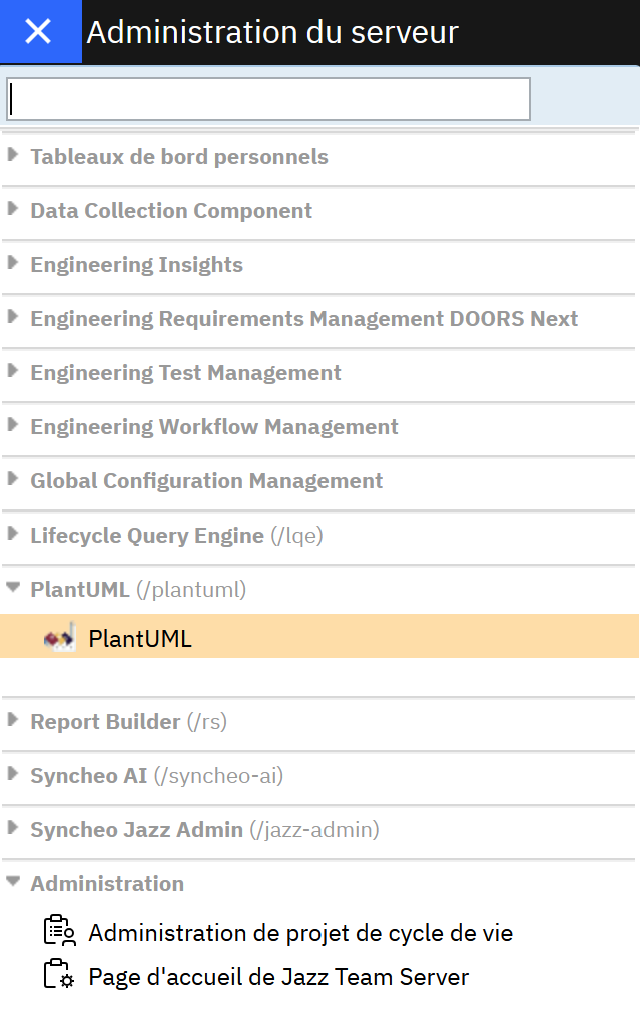
The “Server administration” menu of an ELM instance: PlantUML is listed under its own /plantuml context.
Why PlantUML for ELM users
A diagram described as text has several concrete advantages for engineering teams:
- Speed: a few lines of text produce a clean diagram; layout is automatic, nobody spends time aligning boxes.
- Consistency: all diagrams share the same style, whoever the author is.
- Maintainability: changing a diagram means editing a line of text, not redrawing.
- Traceability: the source text is easy to copy, compare and keep alongside other deliverables.
What was missing was an integrated access point: the tool should be where users already work, without one more URL to remember.
How it works
The PlantUML server (the plantuml-server shipped by the project) is a standard web application. For ELM to recognize it, the JTS must be able to read a few discovery documents. Our jar, dropped into the PlantUML WAR’s WEB-INF/lib, publishes them:
| URL | Content |
|---|---|
/rootservices | Services root (title) |
/scr | Service Contribution Resource |
/application-about | Publisher, version, identifier, icon |
/home-menu | Entry for the Jazz banner menu |
Registration in Jazz then works like for any application: in the JTS, Administration > Server > Register application, entering the /scr URL.
Configuration
Title, version, identifier, description and icon are set through Java properties (jvm.options) or environment variables (server.env), with sensible defaults. Behind a reverse proxy such as Nginx, an external-URL property prevents the published links from containing the internal port.
Prerequisites
Java 17 or later, Maven to build, and Open Liberty with the Jakarta EE 11 features (servlet-6.1, pages-4.0, …) — not to be mixed with legacy Java EE features.
A component, not a product
It is not a product in its own right.
Going further
The same principle applies to other web applications that complement an ELM environment: an internal tool, a wiki, a dashboard… A few classes are enough for them to join the Jazz menu. It is an approach we have already used on several of our applications.
Would you like to offer PlantUML to your ELM users, or add another application to your Jazz menu? Contact us.