In IBM EWM, the Discussion section is where your teams exchange ideas about a work item. It’s where decisions are made, issues are described, and screenshots are shared. Yet this area suffers from serious limitations: no text formatting, images stripped on paste, and no way to correct a comment once published.
Super Comment is the plugin built by Syncheo to change that experience. Without changing your habits, without extra training — just comments that finally do what you expect.
What changes with Super Comment
✍️ A rich text editor
No more plain text comments. Super Comment adds a toolbar directly in the comment input area: bold, italic, bullet lists, tables, links — everything you need to write structured, readable comments. Saving works through EWM’s standard button. No extra steps.
🖼️ Images and screenshots preserved
Native EWM strips images on save. Super Comment fixes that: paste or drag and drop a screenshot directly into the comment. It is fully preserved on save and visible to everyone in the Discussion.
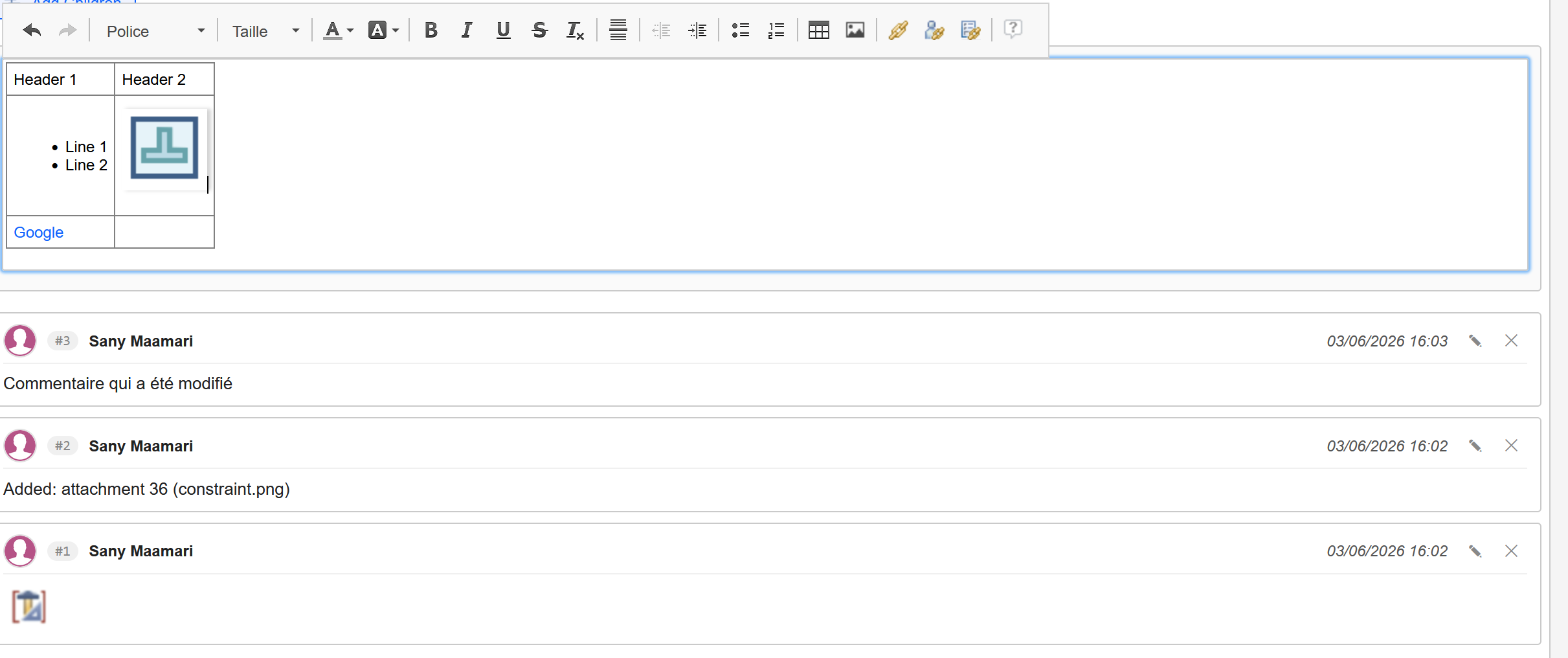
The editor in action: rich text toolbar and an embedded screenshot inside a comment being drafted.
✏️ Edit or clear an existing comment
A comment contains a mistake? No need to post a new message to correct it. Super Comment adds an ✎ button directly on the comment to edit it in place, and an ✕ button to clear it — without leaving the page. The work item history keeps a trace of the original event.
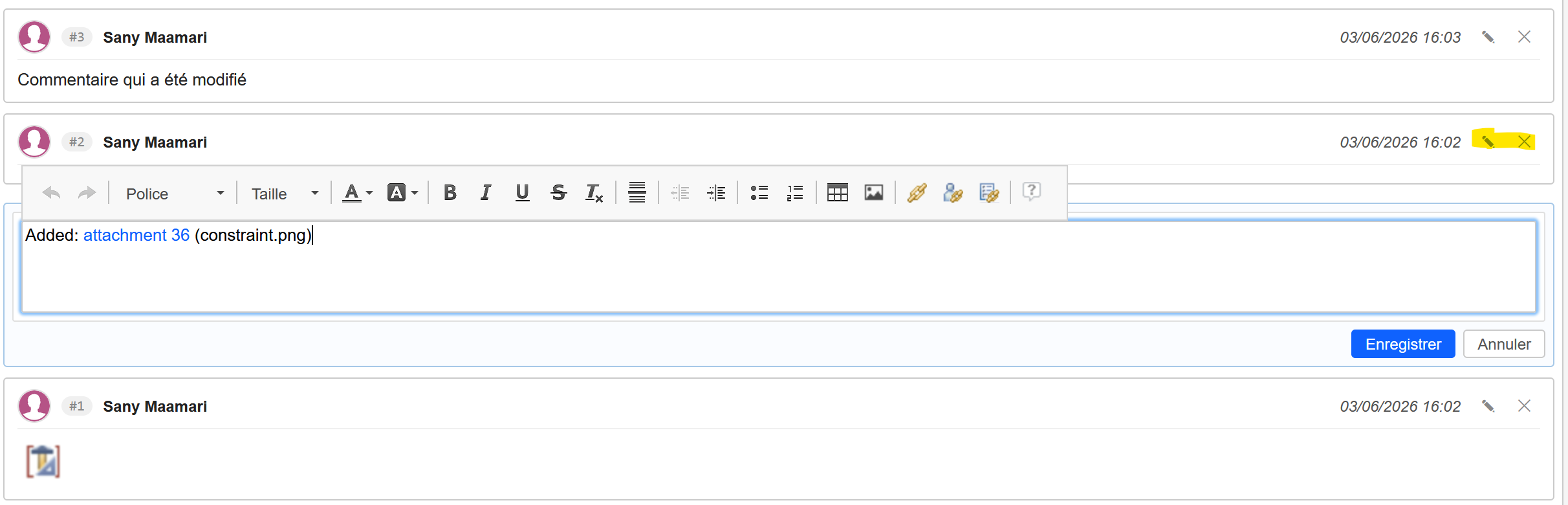
Inline editing: the ✎ and ✕ buttons appear on the comment, and the editor opens just below with Save / Cancel options.
📄 Automatic handling of long content
A full report, a large data table, a lengthy meeting summary: if your comment exceeds EWM’s internal limit, Super Comment automatically splits it into numbered parts (Part 1/N, Part 2/N…) with navigation banners. Your long content stays intact and readable, without any manual intervention.
🔒 Built-in access control
Only the comment’s author — or an administrator — can edit or clear it. This rule is enforced reliably, preserving the integrity of your team’s exchanges.
🔗 Automatic clickable links
Raw URLs pasted into a comment are automatically turned into clickable links. No manual formatting needed.
💾 Automatic draft recovery
If an EWM action interrupts your drafting (saving a new work item, widget reload), your in-progress text is automatically restored in the editor when you return. No comment lost.
Why it matters
| Native EWM limitation | With Super Comment |
|---|---|
| Plain text only | Full formatting (bold, lists, tables…) |
| Images stripped on save | Images and screenshots fully preserved |
| Cannot edit a published comment | Inline editing and clearing |
| Long comments truncated or blocked | Automatic splitting into numbered parts |
| No control over others’ comments | Edit rights reserved to the author |
| Non-clickable URLs | Automatically active links |
| Draft lost on interruption | Automatic text recovery |
Conclusion
Super Comment does not reinvent EWM — it fills the gaps that slow your teams down every day. The result: clearer discussions, richer exchanges, and preserved traceability.
Want to learn more or test the plugin on your EWM instance? Contact us.
See also
On this page
This tool is part of the solution
Jira → IBM EWM Migration →