Teams using both Jira for project management and IBM EWM (Engineering Workflow Management) for systems engineering face a recurring problem: two tools, two silos, and a team forced to enter the same information twice.
Syncheo Connect solves that problem. It is a bidirectional synchronisation connector that automatically keeps Jira and IBM EWM perfectly aligned — in both directions, continuously, with no manual effort.
The problem we solve
In organisations running Jira and IBM EWM side by side, teams run into three concrete pain points every day:
- Double entry: every ticket must be manually created and updated in both systems, consuming time on zero-value tasks.
- Inconsistent data: statuses, priorities, and comments diverge between the two tools. No one knows which version to trust.
- Team silos: product teams (on Jira) and engineering teams (on EWM) operate in isolation with no shared visibility into actual progress.
What Syncheo Connect does
Automatic bidirectional synchronisation
Syncheo Connect continuously monitors both systems. As soon as a ticket is created or modified in Jira, the change is reflected in EWM — and vice versa. Synchronisation can run in both directions or in a single defined direction, depending on your needs.
Complete data kept consistent
The connector does more than sync titles. It keeps all key data up to date:
- Title and description of the ticket
- Priority (with automatic value translation — e.g. “Critical” in EWM = “1. Critical” in Jira)
- Processing status
- Assignee
- Comments added on either side
- Attachments linked to the ticket
Intelligent value translation
Jira and IBM EWM do not share the same nomenclature. Syncheo Connect automatically translates values between the two formats through a configurable mapping system: every priority, status, or custom field on one side maps to its equivalent on the other.
Conflict management
When both systems have been modified simultaneously on the same ticket, Syncheo Connect detects the conflict and applies the resolution rules you have defined — without any data loss.
Optimised performance
At each sync cycle, only recent changes are processed. There is no need to scan the entire ticket base: the connector is built to be fast and lightweight, even on high-volume projects.
Scheduling and alerts
Synchronisation runs automatically on a configurable interval (for example, every hour). If an error occurs, an email alert is sent to administrators to ensure continuous oversight.
A web interface for everyone — no command line needed
Syncheo Connect includes an intuitive web interface accessible to all, regardless of technical background:
- Dashboard: overview of all active configurations and their current status
- Manual trigger: launch a synchronisation on demand with a single click
- Field mapping: visually configure the correspondence between Jira and EWM fields, including value translation
- Real-time logs: track every sync operation — tickets created, updated, conflicts resolved
Flexible deployment
Syncheo Connect adapts to your infrastructure:
- Standalone mode: deployed as an independent service on your server
- Integrated mode: embedded directly into your IBM Jazz server (Liberty/WAR)
The interface in pictures
Dashboard — at-a-glance overview
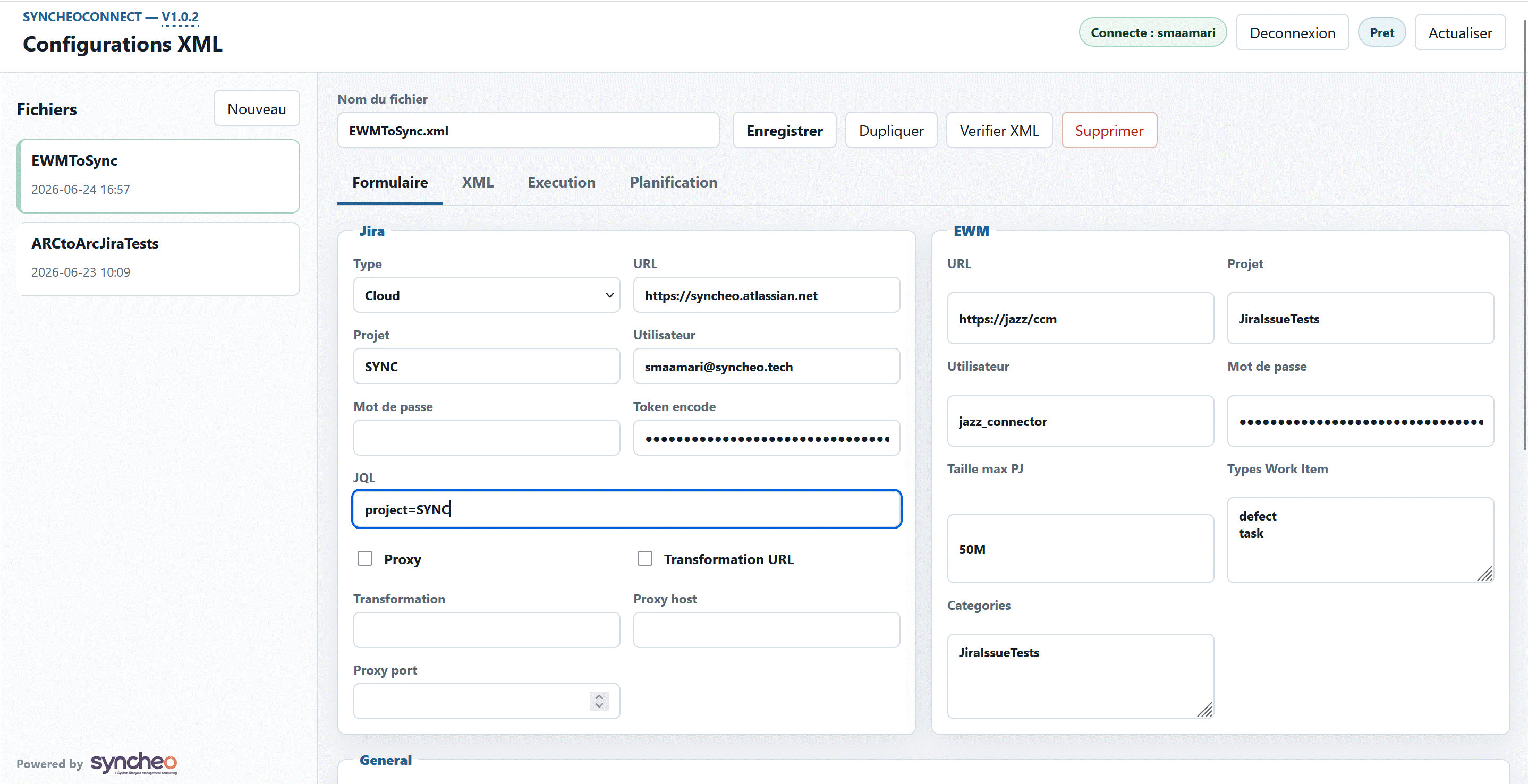
Dashboard overview: all your active configurations, their status, and a “Launch synchronisation” button — one click away.
Field mapping — value translation
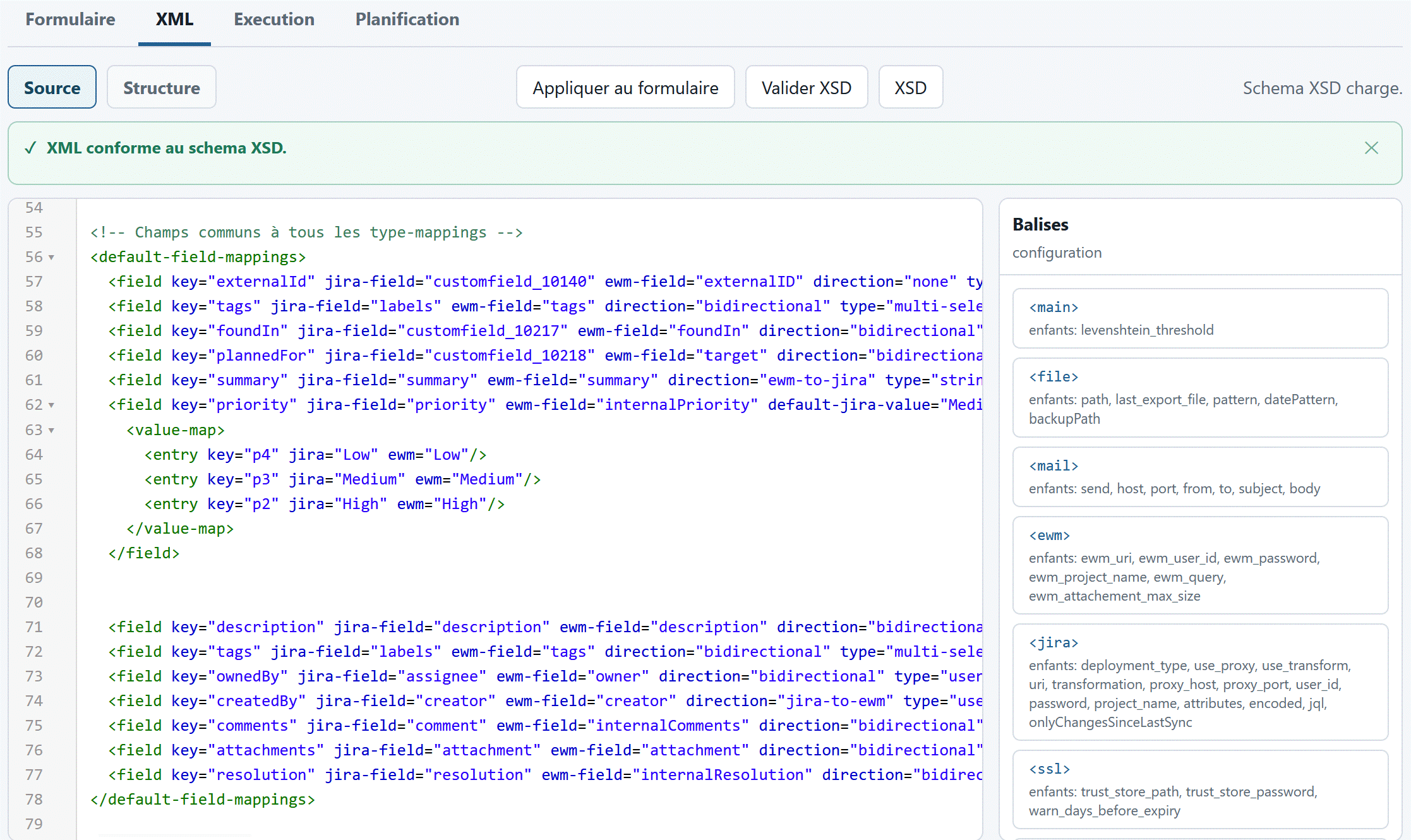
Visual field mapping: each Jira field is paired with its EWM equivalent. Values (priorities, statuses) are translated automatically.
Real-time logs — full traceability
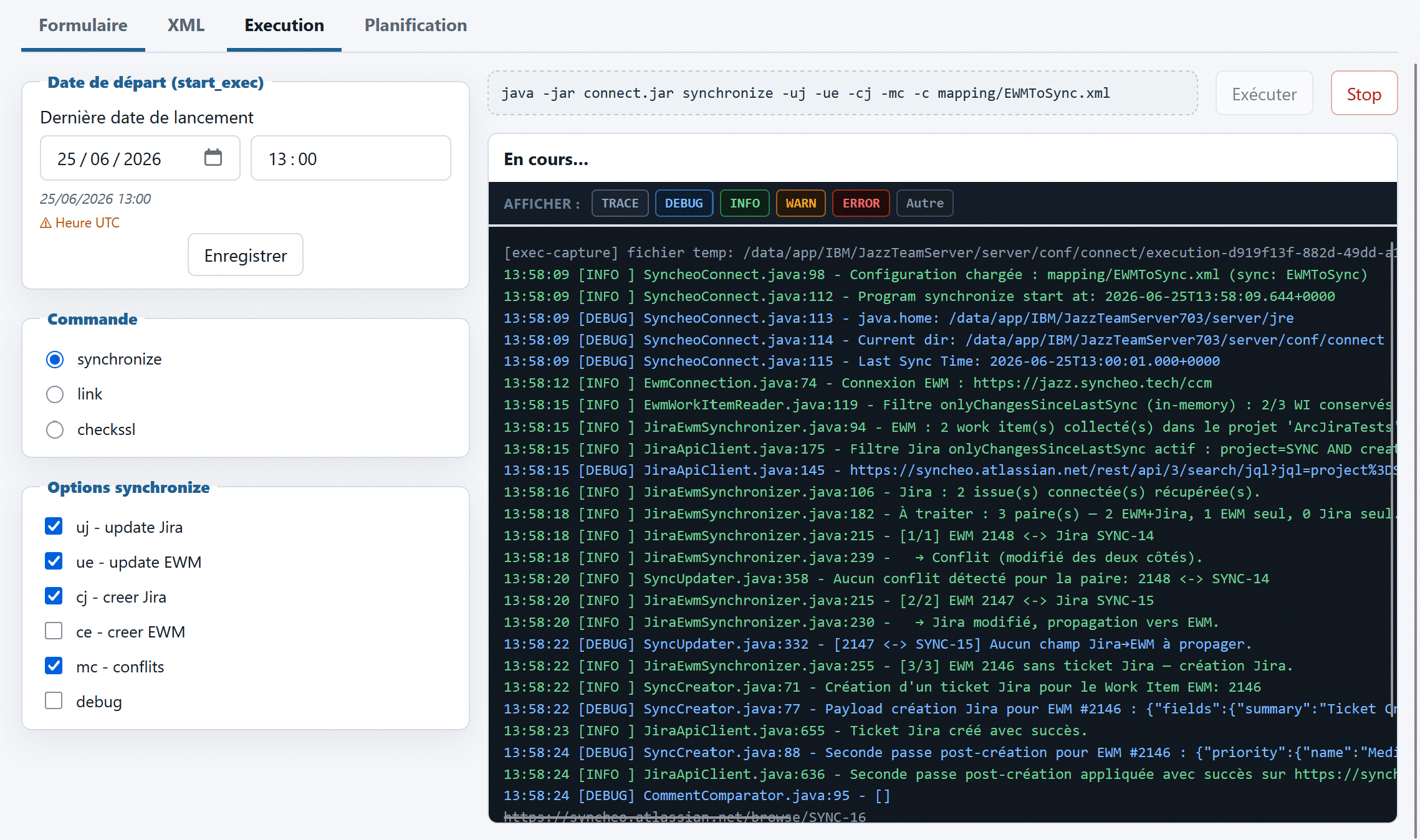
A synchronisation run in the log view: every ticket processed, created, or updated appears in real time, with the sync direction and operation result.
How it works in practice
1. A product manager creates a Jira ticket They enter the title, description, and priority. Syncheo Connect picks up the new ticket on the next sync cycle.
2. An EWM work item is automatically created Data is translated into EWM format: fields mapped, values converted. The engineer finds the ticket directly in their tool — no manual action required.
3. The engineer advances the work item They change the status and add a comment. These changes are automatically reflected back in Jira.
4. Both teams share a unified view No manual sync meetings needed. Data is always up to date in both systems.
Conclusion
Syncheo Connect transforms collaboration between product and engineering teams. By eliminating double entry and inconsistencies between Jira and IBM EWM, your teams can focus on what matters: delivering.
Want to learn more or schedule a demonstration? Contact us.